Quick, practical guidance for U.S. brick-and-mortar fashion businesses that want measurable gains this season.
Data shows the AI fashion market will reach $2.89B in 2025, growing fast and letting brands produce visuals in minutes instead of months. This guide focuses on what helps most right now: faster content, affordable visuals, automated social and service, and smarter promos tied to inventory.
Think of this as a how-to plan that prioritizes visits, higher sales, and lower service load over hype. We set clear steps for foundations like data and on-page listings, then cover content, community, personalization, service, and inventory operations.
Competition is real: national brands churn creative quickly, so your edge is speed plus neighborhood relevance. The tactics here aim at present-day U.S. search behavior — “near me” intent, Google Business Profile improvements, and landing pages that turn searchers into shoppers.
Key Takeaways
- Focus on measurable outcomes: more visits, higher sales, less overhead.
- Use tech to speed content and produce affordable fashion visuals.
- Optimize Google Business Profile and local landing pages for “near me” intent.
- Match promotions to inventory to improve conversion and reduce returns.
- Start with small, low-risk implementations and scale what shows results.
Why AI is reshaping local retail marketing right now
Rapid advances in generative tools are changing how neighborhood retailers create ads, visuals, and customer experiences.
The fashion market is scaling fast
Forecasts show a $2.89B market in 2025 with 39.8% annual growth, which means this approach is no longer experimental. It is an accelerating shift that affects even small, independent shops.
Speed and cost change the campaign cadence
Brands that can produce usable images in minutes win timing. Quick creative cycles let merchants launch promos for weather, events, and micro-trends.
Traditional shoots can cost $1,000–$10,000 per session. Subscription image generation can deliver many usable assets for a monthly fee. That lowers cost and raises frequency.
Measurable retail wins to watch
- Chat tools handle 60–80% of inquiries and can cut service costs by ~30%.
- Fit guidance and better previews reduce returns by up to ~35%.
- Predictive analytics shrink forecasting and warehousing errors by 20–50%.
| Metric | Baseline | Target impact |
|---|---|---|
| Customer calls / directions | Variable | Reduce missed leads, increase visits |
| Return rate | Industry avg | Cut up to 35% |
| Service cost | Current spend | Lower by ~30% |
| Forecast accuracy | Typical error | Improve 20–50% |
What “local marketing” means for a brick-and-mortar clothing store
Good neighborhood promotion focuses on convincing nearby shoppers to visit today, not just building distant awareness. This approach combines online levers and offline actions so businesses that sell face-to-face see measurable foot traffic.
Online levers
- Local SEO and search visibility: optimize page titles, meta descriptions, and schema so people find hours and directions fast.
- Dedicated store pages: answer “where, when, what’s available, and how to visit” with clear product availability and contact info.
- In-store signage that highlights current promos.
- Community events and neighborhood partnerships that create reasons to visit.
- Offers targeted to nearby needs—seasonal shopping, workwear, or school events.
Why this is cost-effective: targeting people who can walk or drive to your location lowers media waste compared with broad campaigns. Using smart tools helps small teams keep content and promotions consistent, turning a store page + a weekend event + a business profile post into measurable visits and sales.
| Action | Why it works | Expected outcome |
|---|---|---|
| Store page with stock info | Answers urgent shopper questions | More foot traffic |
| Weekend event + profile post | Creates urgency and visibility | Higher same-day visits |
| Needs-based merchandising | Matches nearby demand | Better conversion and fewer returns |
How local shoppers in the United States search for clothing stores
When shoppers search nearby for apparel, they signal urgency and expect answers fast. Nearly 46% of Google searches seek local information, so prioritizing local search optimization can beat broad ad spend and reach ready-to-act customers.
High-intent queries to target
- Hours: show hours in a header and add structured schema.
- Directions: embed maps and mention parking or transit.
- Inventory: surface “in stock” messaging on category pages and product pages.
- Returns: include a clear policy block so shoppers feel confident.
- Appointments: add a simple booking CTA on landing pages.
Turn intent into visits
Build landing pages that match queries: e.g., “Women’s boutique in [Neighborhood] — Open today — New arrivals — Try-on appointment.” Keep content and inventory notes current to avoid disappointed customers.
| Query | Page element | Outcome |
|---|---|---|
| Hours | Header + schema | More timely visits |
| Directions | Embedded map | Fewer missed trips |
| Inventory | In-stock badges | Higher conversion |
Tip: Pair timely promos (weather, festivals, school season) with accurate inventory and track results via calls, direction requests, website clicks, and redemptions to measure impact over time.
AI local marketing clothing store foundations: data, listings, and on-page optimization
Start by treating your data and listings as living assets that guide every local outreach decision. Accurate facts make search results useful and reduce missed visits.
Audit your Google Business Profile
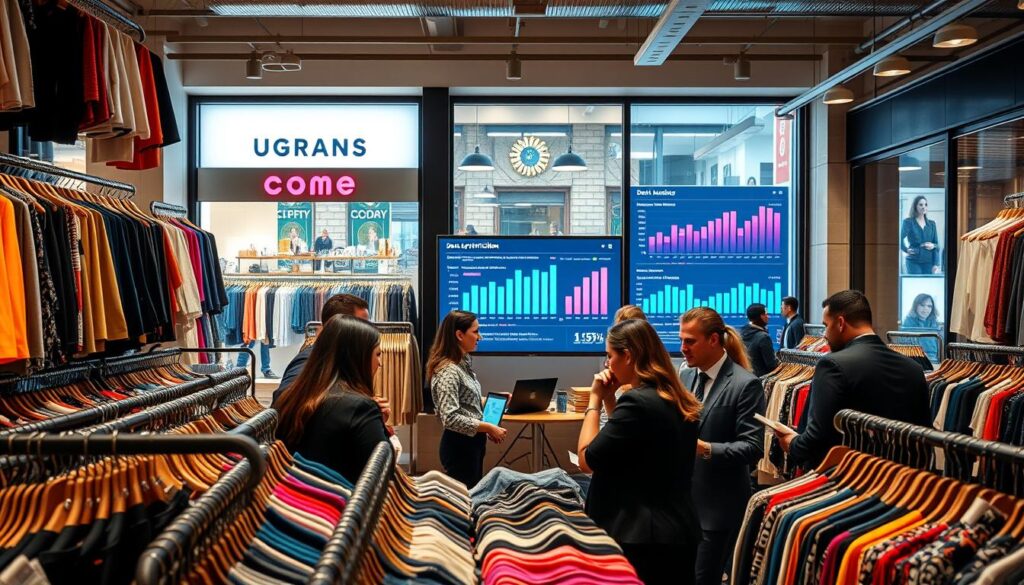
Run a quick checklist: primary and secondary categories, attributes (for example, “in-store pickup” or “appointments”), product highlights, photos, and consistent NAP (name, address, phone).
Tip: Keep product entries short and current so search snippets reflect real availability.
Turn customer and sales data into segments
Use transaction logs and visit patterns to group shoppers by needs (occasion, size range, budget), by habits (weekday vs weekend), and by local trends.
These segments help you tailor content and promos to the right audience at the right time.
On-page essentials for better search visibility
Focus title tags with a location modifier, meta descriptions that state local value, and LocalBusiness schema. Add small content blocks about parking, transit, and neighborhood landmarks.
Competitive snapshot and a single source of truth
Check what competitors rank for — brands carried, same-day pickup, or formalwear phrases — then pick a few topics you can own.
Create one internal document for hours, returns, and services so automated content and external listings never drift into error.
| Area | Quick action | Expected outcome |
|---|---|---|
| Business Profile categories | Set primary + 2 secondary categories | Better match in search filters |
| Attributes & photos | Add verified attributes and 10 recent photos | Higher click-through from listings |
| On-page tags & schema | Titles, meta, LocalBusiness schema | Improved local search visibility |
| Audience segments | Create 3 segments from sales data | Targeted promotions, higher conversion |
Create local content faster with generative AI (without losing your brand voice)
Turn a single campaign idea into multiple local assets without sacrificing tone or accuracy.
- New arrivals this week — mention [neighborhood], three top pieces, one line on fit.
- Seasonal capsule — 6 items, target audience, one outfit suggestion per item.
- Styling appointment update — hours, how to book, what to bring.
- Policy reminder — clear return window, exclusions, contact details.
Generate several drafts fast for email, SMS, site banners, and social media posts. Review each draft for tone, accuracy, and factual fit with inventory and local events.
Convert one idea into many assets
Create a short blog for SEO, a printable flyer for nearby cafes, in-store signage, and a Business Profile post. This saves time and keeps messages aligned across media.
Human review is required: double-check hours, prices, discount terms, and remove unsupported claims.
| Step | Action | Outcome |
|---|---|---|
| Prompt | Use neighborhood cues + product details | Faster, relevant copy |
| Drafts | Produce 3 variations for each channel | Choose best-fit tone |
| Review | Verify facts, compliance, brand voice | Fewer errors, higher trust |
Track results: measure direction requests, appointment bookings, and in-store redemptions to link content to real success.
Use AI to produce scroll-stopping fashion visuals for local campaigns
High-impact visuals win attention first; make them fast, relevant, and on-brand.
Product imagery vs. traditional shoots: speed and cost realities
Traditional shoots can cost $1,000–$10,000+ and take weeks to schedule. That can be out of reach for small retailers with tight budgets.
Faster options produce usable images in minutes. A product-to-model image can be generated in under ~15 seconds, which helps for frequent drops and neighborhood campaigns.
Virtual try-on and model generation use cases
Generate the same product on diverse models to show fit and scale. Use seasonal or weather cues so creatives match local demand.
Virtual try-on helps reduce returns and gives shoppers more confidence before they visit.
Bulk mockups and fast promos
Bulk mockup workflows speed up signage, window posters, and digital ads. Generate many variants so each neighborhood gets tailored creative.
- Use AI for promos, variants, and lookbooks; reserve big shoots for hero brand moments.
- Tools to evaluate fast: WearView ($19/mo), FitRoom ($16/mo), VModel.AI (pay-per-credit), Dynamic Mockups ($15/mo).
- Quality checks: verify hands and edges, confirm logos and text, and match patterns and color to the real product.
| Use case | Typical cost | Speed | Best for |
|---|---|---|---|
| Traditional shoot | $1,000–$10,000+ | Days to weeks | Hero brand assets |
| Generated product-to-model | From $15/mo or pay-per-credit | Under ~15 seconds per image | Lookbooks, promos, variants |
| Bulk mockups | $15–$19/mo | Batch generation in seconds | Signage, posters, multi-store campaigns |
Tip: Run quick QC on a sample batch before publishing so images accurately reflect fit and color.
Automate social media posts and local community engagement
A clear weekly rhythm makes social channels a predictable driver of foot traffic and sales. Plan simple beats that repeat so content stays fresh without extra work.
Building a weekly social plan around events and new arrivals
Try a repeatable week: 2–3 posts for new arrivals, 1 community or event post, 1 staff pick or outfit bundle, plus daily Stories/Reels prompts.
This cadence keeps feeds active and gives customers regular reasons to visit.
Scheduling, caption variations, and image selection
Use scheduling tools to propose optimal times based on performance goals: reach vs store visits. Generate caption variations and adapt tone per platform.
Location-aware tactics and partnerships
Use neighborhood hashtags, tag nearby venues, and partner with local creators to boost relevance. Geo-targeted media posts help reach people who can realistically visit.
Repurposing UGC and reviews
Ask permission before reposting. Do not change meaning and keep claims about fit or quality accurate and compliant.
- AI-assisted drafts speed replies; staff reviews before send.
- Include “show this post” offers, RSVP CTAs, or appointment links to tie posts to walk-ins.
| Action | Goal | Outcome |
|---|---|---|
| Scheduled posts | Reach | Higher impressions |
| Geo-targeted posts | Visits | More foot traffic |
| UGC reuse | Trust | Increased conversion |
Tip: Track redemptions and RSVPs to measure which campaigns drive real visits.
Personalize offers and recommendations using AI to boost in-store sales
Tailored recommendations help customers find items faster and boost the chance they buy during a visit.
Collect data ethically: use purchase history, preferred categories, and visit frequency with clear consent. Explain how the data is used and let customers opt out.
Create practical segments from that data. Examples that work for a neighborhood boutique:
- Workwear refresh — regular weekday shoppers seeking professional pieces.
- Occasion shoppers — buyers who visit around events or holidays.
- Budget basics — price-sensitive customers who favor staples.
- Trend-forward early adopters — shoppers who buy new arrivals quickly.
- Gift buyers — occasional visitors looking for presents.
Predictive recommendations that drive conversion
Use past purchases and sizes to suggest a next-best product and likely size. Prompt staff with “complete the look” suggestions during appointments to speed decisions and lift average transaction value.
Cross-sell and upsell playbooks
Simple combos work well: coat → scarf/gloves, dress → shoes/bag, denim → belt. Offer bundle pricing at the register to increase average order size.
Operationalize across channels: SMS to invite customers in, email lookbooks for browsing, and in-store associate notes so conversations stay consistent.
| Action | Channel | What to measure |
|---|---|---|
| Segmented offer | SMS | Redemption rate by segment |
| Predictive fit suggestion | In-store associate note | Incremental sales per visit |
| Bundle pricing | POS / Email | Attachment rate for accessories |
Improve customer service with AI while keeping the in-store experience human
Make service a competitive advantage by letting automation handle routine questions and reserving staff for human moments that matter.
Practical impact and high-value use cases
Chatbots and virtual assistants can handle 60–80% of inquiries and cut service costs by about 30%. Use them for hours, directions, appointment booking, order status, and returns policies.
Human-first automation setup
Feed chat tools from a vetted policy page: confirmed hours, holiday rules, appointment lanes, and return windows. Escalate edge cases to staff to protect brand trust.
Reduce returns with better fit workflows
Offer size charts, “compare to brands you own,” and virtual fitting prompts to lower returns by up to ~35%. Link product pages to fitting guidance and associate notes at checkout.
Operational guardrails: disclose when users chat with automation, log unresolved questions, and update FAQs weekly based on real inquiries.
| Metric | Why it matters | Target |
|---|---|---|
| Deflection rate | Measures automation impact | 60–80% |
| Avg response time | Affects satisfaction | < 5 min |
| Appointment conversion | Drives visits | Track bookings → visits |
| Return rate | Shows fit improvements | Reduce by ~35% |
Connect marketing to inventory and store operations for better performance
Linking what you promote to what you actually have on the shelf keeps customers happy and ad spend efficient.
Demand signals guide buying and promotions
Watch search trends and social spikes to spot short-term demand. A sudden rise in “formal dress” or event-driven queries signals a buying or promo opportunity.
Use that data to shift product assortments and feature timely items in campaigns. This reduces wasted spend on ads for out-of-stock items.
Predictive intelligence improves forecasting
Predictive analytics can cut forecasting and warehousing errors by 20–50%, so owners see fewer stockouts and fewer excess buys.
Campaign-to-shelf checklist
- Confirm inventory levels and sizes before publishing.
- Verify colors and counts across locations.
- Update landing pages and window displays to match what’s actually available.
Time-saving automation
Set low-stock alerts tied to promoted product SKUs, trigger reorder prompts, and create merchandising task lists from the campaign calendar.
“Run a weekly inventory/promo review and a post-campaign audit that ties sell-through back to in-stock rate.”
| Action | Why it helps | Measure |
|---|---|---|
| Weekly review | Fix gaps fast | In-stock rate |
| Automated alerts | Prevent stockouts | Reorder time |
| Post-campaign audit | Learn for next buy | Sell-through% |
Choose the right AI tools and run a low-risk implementation plan
Start with small experiments that prove value, then expand tools and channels that perform. A focused rollout limits budget risk and gives clear metrics to judge success.
A practical tool stack for neighborhood retailers
Pick one vendor per function: generative text for content, image generation or try-on for creative, scheduling for social, a chatbot for service, and analytics for reporting.
- Examples: WearView $19/mo, FitRoom $16/mo, Dynamic Mockups $15/mo, CLO 3D $50/mo, Style3D $35/mo, NewArc.ai $19/mo.
Evaluate pricing, quality, and usage rights
Check commercial licenses before committing. Confirm images and models can be used in ads, print, and social without watermarks or extra fees.
Pilot-first rollout and scaling rule
Run a 2–4 week pilot for one channel (e.g., business profile posts + landing page copy or visuals for one promo).
Define metrics: foot traffic, conversions, and service load. Scale only if the pilot shows clear value.
Risk management and QA
Mitigate bias, factual errors, and rights uncertainty with simple steps: a QA checklist, trained staff reviewers, and an approval workflow.
Quick QA items: factual checks, brand tone, image accuracy, license confirmation.
| Area | Action | Outcome |
|---|---|---|
| Pilot | 2–4 week test | Measured performance |
| Licensing | Confirm commercial rights | No surprises |
| QA | Approval workflow | Fewer errors |
Conclusion
Strong, practical steps turn effort into measurable success. Start by fixing the foundation: accurate listings, on-page optimization, and clear inventory signals.
Next, speed up creative production so content and visuals stay current. Then connect promotions to service and stock so offers match what’s available and customers arrive satisfied.
Do first: audit your Google Business Profile, build landing pages that match search intent, and run a simple content engine for timely promos. Combine automation speed with staff review for accuracy, fit guidance, and community ties that national brands cannot copy.
Measure results: direction requests, calls, bookings, redemptions, return rate, and sell-through. Pick one tool and one workflow to improve this month, measure impact, and scale what drives success for your retail business and fashion goals.