
This roundup helps US sellers and small brands upgrade apparel listings without hiring a studio team. It focuses on practical clothing workflows: clean cutouts, consistent catalogs, and lifestyle-ready visuals for e-commerce and social channels.
“Tested and approved” means hands-on checks against clear criteria: edge accuracy, realism, speed, and repeatability. We tried real garments and judged how each tool handled trims, fabric details, and background removal.
We preview three free options—Photoroom, Pixlr, and a free AI product photography image generator—and note what each tool does best. Expect quick wins for catalog consistency, simple editing flows, and faster publishing.
This guide is for Shopify and Etsy sellers, marketplace resellers, DTC brands, and small teams that need fast, trustworthy results. Pick a tool, follow a clear process, and publish improved product photos that look consistent and credible for your business.
Key Takeaways
- Practical lineup: Three free tools tested on clothing use cases.
- Clear criteria: Edge accuracy, realism, speed, repeatability.
- Quick wins: Better cutouts and consistent catalogs for e-commerce.
- Who benefits: Shopify, Etsy, resellers, DTC brands, small teams.
- How to use it: Choose a tool, follow steps, publish consistent product images.
Why Better Clothing Product Images Drive More Sales in the US
Strong visual listings win clicks: shoppers judge quality at a glance. A clear shot with even lighting and a tidy background sets expectations about fit and fabric before anyone reads specs.
How shoppers read lighting, backgrounds, and consistency
US shoppers rely on visuals to decide fast. Bright, accurate lighting shows color and texture. Clean backgrounds keep focus on the item.
When listings vary across colorways or sizes, trust drops. Inconsistent framing or odd shadows makes a brand feel less reliable to buyers.
“Clear silhouettes and honest details cut hesitation and lower returns.”
Where great images matter most
On e-commerce sites, shoppers compare many listings at once. Consistent images look professional and help listings stand out.
On social media, scrolling is instant. Simple, readable imagery wins attention and drives clicks to your store.
| Visual Element | Customer Signal | Impact on Sales | Fix |
|---|---|---|---|
| Lighting | Color accuracy, fabric feel | Higher click-through, fewer returns | Use neutral light and white balance |
| Background | Focus, perceived quality | Stronger brand trust | Consistent plain or styled backgrounds |
| Framing & Consistency | Professionalism across catalog | Better conversion on category pages | Use templates and batch edits |
Business impact: Better visuals build confidence with customers. That drives higher click-through and conversion on e-commerce channels and on social media.
What “Free” Really Means for AI Photo Editing Tools Right Now
What counts as “free” varies widely. Some plans let you test a tool for basic uses but limit exports, resolution, or daily runs.
Free tiers often include low-resolution downloads, watermarks, or capped background removals. Time-limited trials, by contrast, unlock full features for a week and then revert to restrictions.
How limits show up in practice
For e-commerce and small teams, these constraints shape workflows. If batch mode or high-res output is gated, you face extra manual steps and higher costs over time.
- Check export rules: formats and max resolution.
- Confirm batch limits: can you process multiple images?
- Verify commercial rights: allowed for business use.
- Note platform differences: web, mobile, or desktop features may vary.
| Limit | Common Restriction | Impact for Sellers |
|---|---|---|
| Exports | Low-res or watermarked | Poor marketplace image quality |
| Batch Mode | Capped or paid-only | Slower catalog updates |
| Commercial Use | Requires paid license | Legal risk for listings |
Evaluation lens: when we test each tool, we compare speed, results, and total cost so you can pick what fits your business and design needs.
Testing Criteria Used for This Product Roundup
The testing checklist focused on real-world needs for apparel listings and catalog scale.
Background edges and accessories
We judged background removal by how cleanly sleeves, collars, straps, and small accessories were cut out.
Edges needed to be smooth with no jagged halos or missing threads.
Realism of staged scenes
Realism meant lighting direction, shadow placement, and color match felt natural.
We checked whether added backgrounds and lifestyle staging matched the original light on the garment.
Speed: seconds vs manual time
Speed was measured in seconds to a publishable result.
We compared that to manual editing time in a typical desktop workflow to show real time savings.
Output consistency at scale
Consistency covers repeatable framing, color handling, and reusable templates so a brand can publish many images with the same look.
Ease of use for non-designers
We evaluated how quickly a seller could create a set of product photos without learning complex editing tools.
The goal was: close to studio polish with minimal retouching.
“Studio-level polish remains the benchmark; these tools aim to get listings close enough for commerce without heavy retouching.”
| Criterion | What we measured | Why it matters |
|---|---|---|
| Background removal | Edge accuracy on sleeves, collars, straps | Cleaner listings, fewer returns |
| Realism | Lighting match and natural shadows | Credible lifestyle images that convert |
| Speed | Seconds to publishable image vs manual minutes | Faster listing updates and lower editing time |
| Consistency | Framing, color, template reuse at scale | Professional, on-brand catalog |
| Easy use | Non-designer onboarding and workflow | Faster adoption by small teams and sellers |
Common Clothing Photo Problems These AIs Fix Fast
A quick scan of marketplace grids shows common visual problems that hurt conversion. Sellers in the US often face a few repeat issues that make listings look less professional.
Wrinkled-looking lighting and flat presentation
Dull lighting flattens texture and makes fabric read as lower quality. Shoppers can’t judge color or drape when highlights and shadows are missing.
Messy backgrounds and uneven shadows
Busy or inconsistent backgrounds distract from the item and lower perceived trust on marketplace grids.
Uneven shadows or odd cutouts can make garments look like they float or are poorly composited. That knocks credibility on listing pages.
Inconsistent sizing, framing, and aspect ratios
Teams that shoot on different phones or setups produce mixed sizing and framing. That breaks catalog flow and confuses buyers.
Aspect ratio mismatches lead to awkward crops on e-commerce and social channels, costing clicks and clarity.
- What to watch: dull lighting, noisy backgrounds, floating garments, mixed crops.
- Quick fix: use batch editing and templates to standardize image size, framing, and background across listings.
- Why it matters: consistent product photos increase clarity and trust, speeding listings through your publishing process.
Free AI Tool Pick: Photoroom for Studio-Quality Product Photos
Photoroom packs studio-style editing into a simple browser and mobile workflow for sellers. It bundles fast background removal, staging, and batch automation so small teams can publish consistent e-commerce listings without a full studio.
Background Remover for clean e-commerce-ready shots
The background remover produces crisp edges on sleeves, collars, and straps. That makes quick prep for white or branded backgrounds easy. Clean removal cuts retouch time and helps listings look uniform across a catalog.
AI Backgrounds from text or reference images
Use text prompts or a reference image to generate multiple backgrounds from one source file. One original image becomes several listing variants for lifestyle and marketplace grids.
Product Staging without a studio
Product staging recreates realistic scenes so items feel owned and wearable. This replaces repeated studio shoots and helps shoppers imagine use cases fast.
Virtual Model for instant try-on visuals
Virtual model tools generate on-model views for different sizes and styles. That speeds fresh creative and keeps catalogs feeling current.
Batch Mode and Teams for scale
Batch Mode applies templates, lighting, and branding across hundreds of images in minutes. Teams lets collaborators share templates, logos, and assets so results stay consistent as you scale.
“Consistent, on-brand images cut time to publish and keep listings professional.”
How to Get Started in Photoroom in Minutes
You can get usable e-commerce images in minutes with a straightforward, three-step routine.
Take clear photos with your phone
Use even lighting and a neutral backdrop. Keep the camera steady and maintain a consistent distance from the garment.
Minimize wrinkles and remove tags. Small prep saves time later and reduces cleanup work.
Upload and remove backgrounds, then apply templates
Upload your photos and let the tool remove backgrounds instantly. Next, pick a template that matches your catalog aspect ratio.
Adjust lighting and add subtle shadows so the item looks grounded and premium.
Download and publish to platforms
Export with consistent aspect ratios and high file quality for Shopify, Etsy, and social media. Use the same template for every SKU to keep listings uniform.
Repeat this process for new drops to save time and keep a steady catalog flow.
| Step | Action | Why it matters |
|---|---|---|
| 1 | Shoot with phone | Less cleanup, consistent framing |
| 2 | Remove backgrounds + templates | Uniform look across listings |
| 3 | Adjust lighting & shadows | Realistic, on-shelf presentation |
| 4 | Export to platforms | Marketplace-ready files and faster publishing |
Photoroom Results You Can Expect When You Scale Visuals
High-volume catalog work reveals where time and dollars leak in visual production. Photoroom frames gains as measurable business outcomes rather than one-off creative wins.
What Photoroom reports: lower editing cost and faster time to market
Directional benchmarks from Photoroom show dramatic shifts: +93% lower editing cost and 4x faster time to market for new visuals. These results reflect savings on studios, freelancers, and manual retouching.
Conversion-focused benefits: building trust with authentic-looking scenes
Better product images drive customer trust. Authentic-looking scenes and consistent framing reduce hesitation and increase clicks.
“Consistent, premium visuals convert faster because shoppers see accurate detail and context.”
- Conversion link: Photoroom reports a +56% sell-through rate and +77% average basket value. Clear detail and realistic staging help shoppers decide and add more to cart.
- Operational impact: Faster editing and fewer revisions let marketing run more tests and refresh hero images weekly or per drop.
- Repeatability: Templates and batch edits turn one-off results into steady e-commerce performance across SKUs and colorways.
| Metric | Reported Change | Business Effect |
|---|---|---|
| Editing cost | +93% lower | Less spend on studios and freelancers |
| Time to market | 4x faster | Quicker launches and more frequent refreshes |
| Sell-through rate | +56% | Faster stock turnover on listings |
| Average basket value | +77% | Higher revenue per customer from clearer merchandising |
Bottom line: aim for repeatable gains — lower editing overhead, faster schedules, and more credible images that lift conversion for your US apparel business.
Free AI Tool Pick: Pixlr for Browser-Based AI Editing and Design
Pixlr is a browser-first suite that blends fast cutouts with broader design and editing features. It’s a single platform for catalog work and campaign creative, so teams can move from cutout to creative without swapping tools.
AI Remove Background and AI Background Erase
AI Remove Background speeds background removal on sleeves, straps, and fine edges. Use the erase mode to tweak tricky areas without manual masking.
Product Shot Creator
The Product Shot Creator delivers studio-looking results in seconds. It’s a fast shortcut for consistent product images across listings and colorways.
Text-to-Image Generator and Generative Tools
The text-to-image image generator helps craft campaign visuals and concept scenes around a garment. Generative Fill cleans distractions and fixes edges. Generative Expand resizes canvases so key areas aren’t cropped when you make variations for social or marketplace slots.
Batch Editor, Super Scale, and Super Sharp
Batch Editor handles bulk edits and templates for catalog consistency. AI Super Scale and AI Super Sharp raise output quality for larger crops and better on-site photography. Together these tools shorten the workflow from raw capture to marketplace-ready images.
When Pixlr Is the Best Fit for Clothing Brands and Sellers
For teams juggling listings and marketing content, Pixlr combines cleanup and design in one place.
Best for quick content and templates across social channels. Use Pixlr when a job needs both tidy cutouts and ongoing creative for social media. Templates keep promos, drops, and seasonal campaigns consistent without rebuilding layouts each time.
Quick ad-ready creatives from the same platform
Marketing teams can move fast. Start with cleaned product images, then add banners, copy, and export ad-ready sizes. This saves time and avoids tool switching.
Cross-device flexibility for distributed teams
Pixlr works on web, desktop, and mobile. That makes approvals and edits easier for remote teams or small agencies supporting a brand.
- When to pick Pixlr: you need both catalog cleanup and ongoing campaign design.
- When to choose other tools: single-purpose background removers win only when you need volume cutouts with a studio pipeline.
- Common workflows: resize for stories, build grid posts, and craft quick sale banners around product images.
Free AI Tool Pick: Free AI Product Photography Image Generator
A custom image generator lets teams spin up themed visuals without booking a studio.
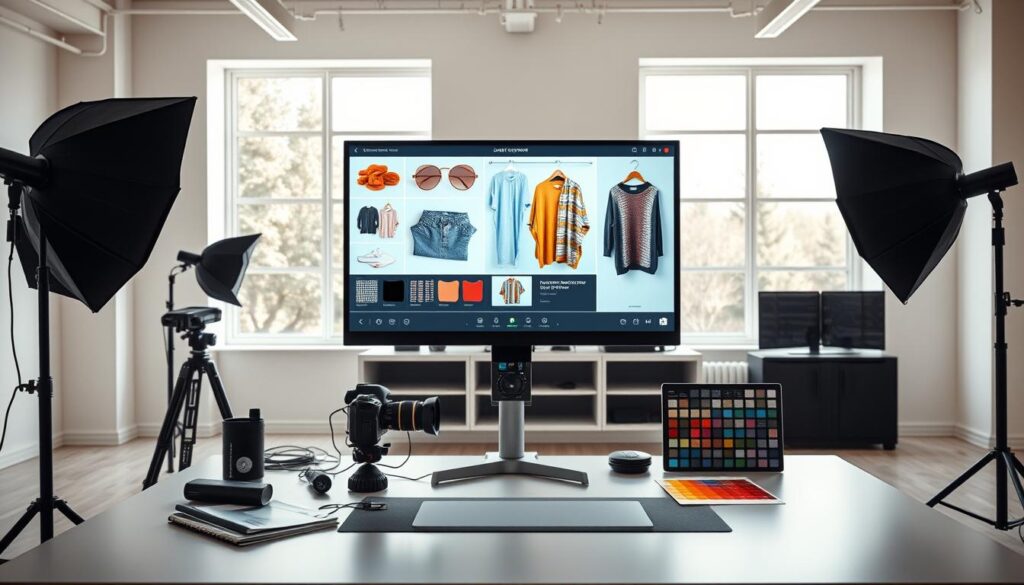
When a generator beats classic editing
Use a dedicated generator when speed and variety matter. It excels at rapid ideation and producing many concept directions fast.
Why it wins: you can test seasonal looks and ad variants far quicker than reshooting or heavy retouching.
Clothing use cases that fit
Best for seasonal campaigns, themed backgrounds, and top-of-funnel marketing. Generate product scenes for ads, landing pages, and social content that need many creative options.
Responsible generation and brand guardrails
Keep garment details accurate and avoid misleading fit or fabric. Use a consistent color palette, realistic lighting, and restrained backgrounds so images stay credible for US shoppers.
| Use Case | Strength | Limit |
|---|---|---|
| Campaign concepts | Fast multiple directions | Not for regulated marketplace listings |
| Seasonal ads | Cost-effective scene creation | May need follow-up real shoots for close detail |
| Top-funnel content | High creativity, low cost | Avoid as sole source for sizing or fit claims |
AI improve product photo Workflows for Clothing Listings That Convert
Small, repeatable edits drive big catalog gains. Start with a clear, reliable routine that reduces time per SKU and raises trust on listing pages.
Clean cutout to consistent background for marketplaces
Begin with a precise cutout of the garment. Use careful background removal so sleeves and straps stay intact.
Why it matters: marketplaces favor consistent images. A uniform background supports compliance and improves scanning in search grids.
Add realistic shadows and balanced lighting for premium presentation
Apply soft, natural shadows and subtle lighting adjustments. This grounds darker garments and shows texture without over-editing.
“Realistic shadowing reduces perceived float and boosts shopper confidence.”
Build a repeatable template for every product and colorway
Create one template per category—tops, pants, outerwear—and reuse it across colorways. Lock camera angle, crop, and spacing.
- Keep framing and crop uniform.
- Standardize exposure and white balance.
- Batch apply templates to save time and deliver consistent results.
| Step | Goal | Result |
|---|---|---|
| Cutout | Clean edges | Consistent listing visuals |
| Shadow & lighting | Realistic depth | Premium perception |
| Template | Repeatable layout | Less time per SKU |
Background Removal vs AI Backgrounds vs Lifestyle Staging
Choosing how you present a garment starts with one question: clean canvas or staged scene? This decision shapes shelf appeal, perceived value, and how quickly shoppers trust a listing.
Which approach matches your brand: minimal, editorial, or lifestyle
Background removal gives a neutral, consistent look ideal for marketplaces and bulk catalogs. Use it when clarity matters and you need uniform images for many SKUs.
AI backgrounds let you add context without a full studio shoot. They work for mid-range DTC that wants a polished, editorial feel across campaigns.
Lifestyle staging is best for storytelling on social and ads. It helps higher-price items and seasonal lines feel lived-in and desirable.
How to keep results realistic and avoid “AI-looking” scenes
Judge realism by light match, believable shadows, and intact garment edges. Fix any warped hems or odd reflections before exporting.
- Match light direction between original capture and new scene.
- Keep shadows soft and consistent so the item feels grounded.
- Use prompts and controls to limit busy backgrounds and keep focus on the product.
| Approach | Best use | Risk |
|---|---|---|
| Background removal | Marketplace listings, bulk catalog | Flat feel if overused |
| AI backgrounds | Editorial campaigns, mid-tier DTC | Synthetic looks without light match |
| Lifestyle staging | Social, hero banners | Distracts if props overwhelm item |
“Keep a consistent rule set—lighting, crop, and spacing—so results scale across your catalog.”
Using Virtual Models and Try-On Style Images Responsibly
Try-on style images give shoppers context fast, so they can judge fit and styling. This approach speeds catalog updates and tests new looks without travel or casting. It works best when the render matches the real item.
Where virtual models help
Virtual model imagery shows fit context and refreshes old listings quickly. Use it to create more variants without new shoots and to keep a catalog feeling current at scale.
Consistency tips for on-model visuals
Standardize poses, cropping, and spacing so listings look cohesive. Lock a few approved model looks and reuse them across colorways to reduce review cycles.
Responsible representation and conversion
Always keep the product true to life. Match color, texture, and fit so customers are not misled. When done well, model images answer “how does it look on a person?” and lift e-commerce conversion.
- Set a short list of approved model poses and outfits.
- Use consistent lighting and crop rules across all images.
- Choose workflows that non-designers can run for easy use and fast turnaround.
“Realistic, honest try-ons build trust and reduce returns.”
How to Produce On-Brand Product Photos at Scale
When your catalog grows, the real challenge is repeating the same high-quality edits across hundreds of SKUs.
At scale means many products, frequent drops, and repeated updates across channels. Manual work can’t keep pace. Automation and batch flows let a small team move faster and stay consistent.
Batch editing and automation to handle growing catalogs
Batch editing reduces repetitive editing work and shortens turnaround time. Use a tool that applies templates, backgrounds, and lighting to many images at once.
Photoroom reports it can process hundreds of product photos in minutes by applying brand templates automatically. That cuts time per SKU and lowers editing overhead.
Templates, logos, and shared assets to maintain brand consistency
Build a template library by category and channel—tops, outerwear, hero banners. Save aspect ratio, crop, and light settings so each product follows the same brand rules.
- Use logos and badges in lookbooks and ads, but avoid them on marketplace main images.
- Store shared assets in a team workspace so everyone accesses the same files.
- Assign one person to set templates, others to run batches, and a final reviewer to check consistency.
“Predictable production time and consistent images remove bottlenecks when launching new items.”
| Action | Who | Result |
|---|---|---|
| Create templates | Designer | Uniform catalog look |
| Run batch edits | Operator | Faster time to publish |
| Final QA | Reviewer | Fewer listing errors |
Where to Publish Your Improved Product Photos for Maximum Impact
A clear publishing plan turns one set of edited images into many sales assets. Tailor each export to the final e-commerce destination so listings stay consistent and credible.
Marketplace-ready image sets for Amazon, Etsy, and Shopify
Build a core set: a clean main image, a front-facing SKU shot, two detail crops, and one contextual lifestyle frame.
Keep the main image consistent: neutral background, accurate color, and full garment visibility. Use the same crop and spacing across SKUs to support catalog scanning.
For marketplaces, export high-quality JPGs and a lightweight PNG where transparency is needed. That saves export time and keeps uploads straightforward.
Social media formats: grids, stories, and ad creatives
Repurpose the same edited files for social media and ads with small design tweaks.
- Grid posts: square crops for brand storytelling and product rows.
- Stories: vertical crops with bold text overlays for quick promotions.
- Ad creatives: test variants by swapping backgrounds, copy, or simple badges.
Reuse to save time: one strong master image can become marketplace main, a lifestyle post, and a story by changing ratio or adding minimal design elements.
| Use | Format | Key export focus |
|---|---|---|
| Marketplace main | JPG 2000+ px | Consistent crop, clean background, true color |
| Detail shots | PNG or JPG | Close crops, texture clarity, no compression |
| Social / Ads | Square & vertical | Branding, readable overlays, fast load time |
“Consistent visuals across platforms support awareness, guide consideration, and lift conversion.”
How to Choose the Right Free AI Tool for Your Business
Choosing a tool starts with a simple rule: match the software to the job you do most. Ask three questions: how many SKUs you handle, where you publish, and who will run edits day-to-day. That focus makes it easy to pick a path that saves time and keeps listings consistent.
If you need fast background removal and e-commerce consistency
When to pick this path: you run a catalog, need uniform listings, and value speed over fancy scenes. Prioritize tools with reliable background removal, batch workflows, and templates.
Practical check: How many SKUs per week? If it’s dozens, choose a tool that automates batch edits and enforces crop rules.
If you need an all-in-one editor with generative design tools
When to pick this path: your team builds both listings and marketing creative. Look for editing tools that combine cutouts, layout templates, and text-to-image or generative features.
Ask: how many channels do you publish to? If you handle social, ads, and marketplace lists, a single platform reduces handoffs and speeds review cycles.
If you need generator-style visuals for campaigns and concepts
When to pick this path: you want rapid ideation and many visual directions for campaigns. A dedicated generator or image generator can spin concepts fast, though final catalog shots may need follow-up.
Decide how important strict realism is. If catalog accuracy is essential, use generated scenes only for top-funnel creative, not main listings.
- Decision framework: match job-to-be-done, budget, and team skill level.
- Fast removal + consistency: best for sellers focused on listings and speed.
- All-in-one editor + design: best for teams that also make frequent marketing assets.
- Generator-style visuals: best for campaign ideation and wide creative testing.
- Easy use: pick a tool that helps you get started quickly and delivers repeatable results without a steep learning curve.
| Need | Recommended path | Key question |
|---|---|---|
| Many SKUs weekly | Fast removal + templates | How many SKUs per week? |
| Listings + campaigns | All-in-one editor | How many channels? |
| Rapid concepting | Generator | Is realism required for main listings? |
“The right tool reduces repetitive work and keeps your catalog reliable.”
Conclusion
Strong visuals are one of the fastest levers a seller can pull to boost e-commerce results. Clear photography and consistent images raise trust, click-through, and conversions fast.
Pick a tool to match your workflow: Photoroom for scalable product photos and realistic staging, Pixlr for edit-plus-design flexibility, and a generator for quick campaign concepts.
Use one routine across your next batch. Standardize a template, lock lighting and framing, and run a batch on top-selling SKUs first to see measurable results in less time.
Remember: a great product still needs honest presentation — true color, believable backgrounds, and consistent framing across photos and images to keep buyers confident.